Today’s Mission: Explore, race, code, and engineer with Sphero robotics.
Grab one Sphero SPRK+ for your team.
Set up at a table and get ready to roll.
Team up in groups of 2–3 people.
Choose a robot-inspired team name to represent you for the day.
Example names:
Circuit Breakers
Quantum Rollers
Botzilla
Byte Force
You’ll only need one app today:👉 https://edu.sphero.com/downloads
Make sure Bluetooth is ON
Connect your device to your team’s Sphero SPRK+
Open the Sphero EDU app
Tap the Drive tab
Use the joystick and speed controls to practice:
Try this:
Drive in a straight line
Spin in place
Make a full circle
Stop exactly where you want
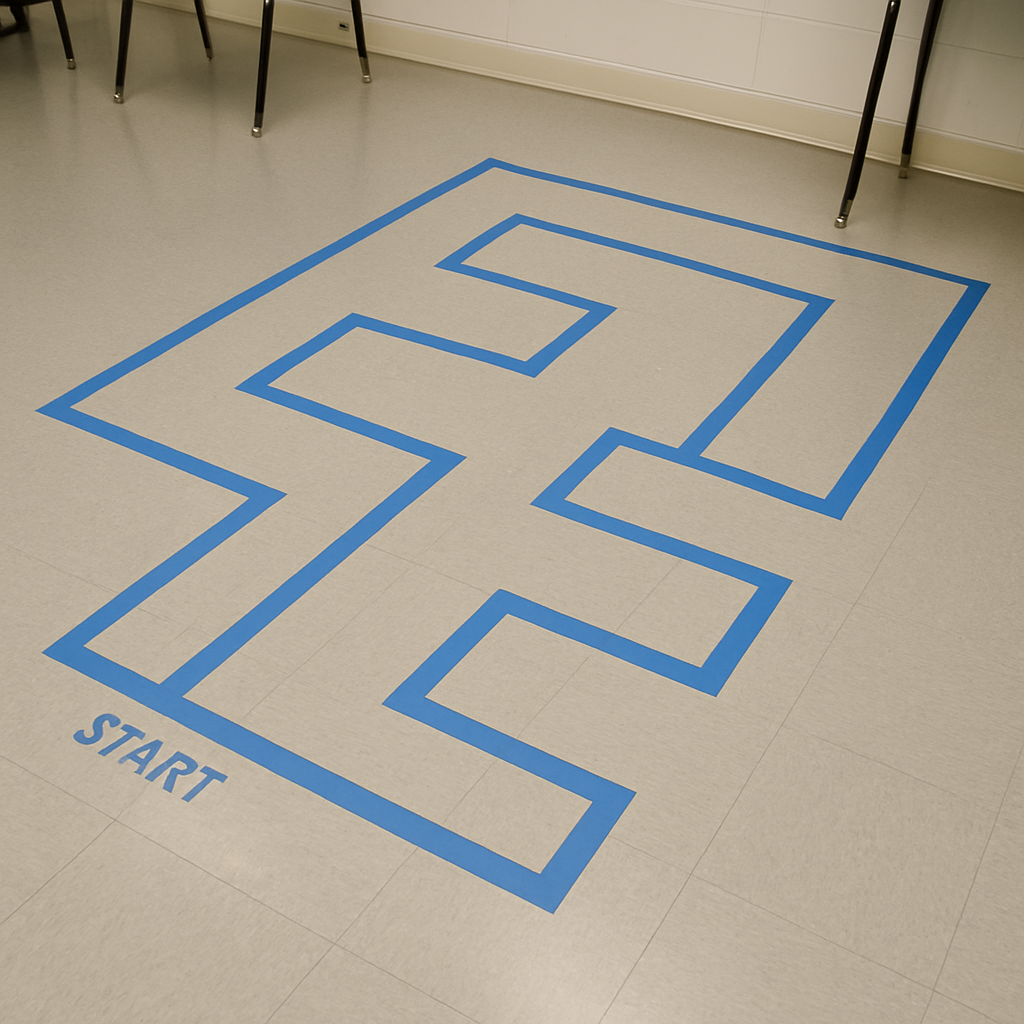
Use the Drive tab to manually steer your Sphero through the taped floor maze.
This is a speed challenge: fastest team to finish wins.
Rules:
Stay inside the maze
If you role outside the blue tape, return to the start
Now that you’ve practiced driving and navigating manually, it’s time to start coding.
Watch this video: Code Sphero to Move in a Square (YouTube)
In the Sphero EDU app, go to Programs → Create a New Program → Blocks
Use “roll” blocks to program your Sphero to move in a square
Adjust speed, angles, and time as needed to tighten up the square
Goal: Create clean 90° turns and a square path that returns close to your starting point.
Using the same block-coding style, program your Sphero to navigate the full maze on its own.
Tips:
Start with forward movement and turns
Add delays to fine-tune your timing
Test often and adjust your code based on results
This final challenge is engineering + remote control only.
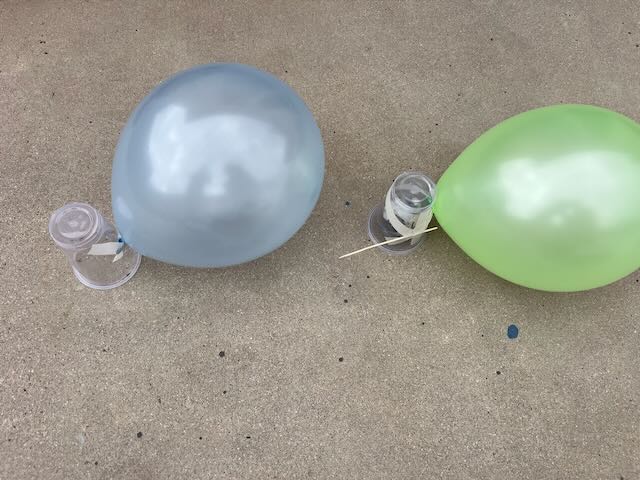
Place your Sphero inside a clear plastic cup
Tape a balloon to the back of the cup
Tape a popping tool (like a skewer) to the front
Test how it drives with your setup and adjust as needed
Use the Drive tab for remote control
Pop other teams’ balloons
Protect your own balloon!
🏆 Victory: Last balloon standing or the most pops within the match time.
At the end of the session, we’ll discuss:
What made a design successful?
How did testing improve your performance?
How does this type of design thinking show up in real-world engineering and robotics?